Your menu on every phone, in one scan.
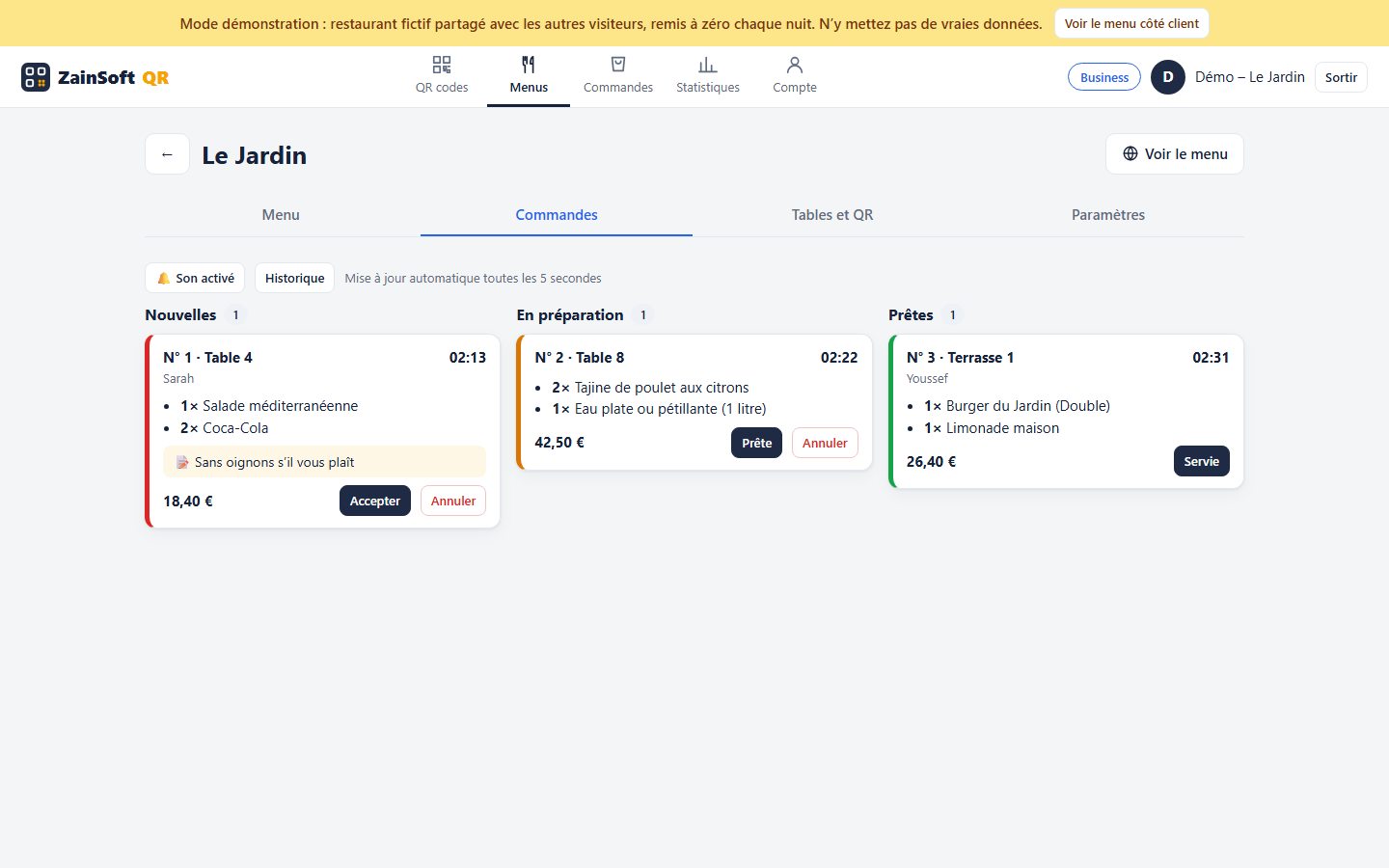
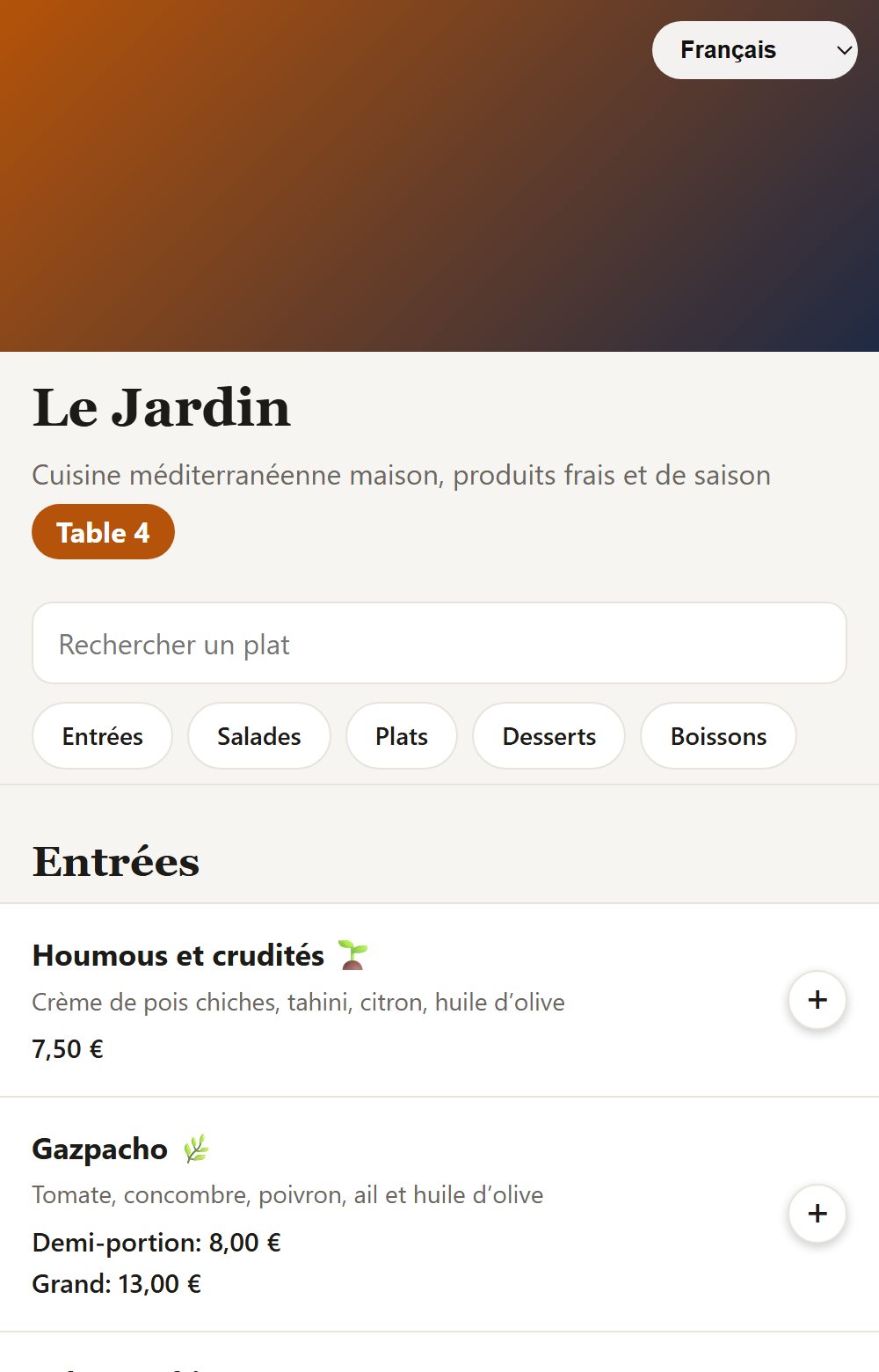
Guests scan the QR code on the table: they see your menu with photos, prices and allergens in their own language, then order right away. Change dishes and prices whenever you like, without reprinting anything.
- ✓ Nothing to install: a browser is enough
- ✓ Menu updated live, QR codes never reprinted
- ✓ French, Dutch, English, Arabic and 6 more languages
- ✓ Designed in Belgium
Try it now
The demo is the real software with a complete fictional restaurant, « Le Jardin ». Open the guest side on your phone, place an order, then watch it arrive in the restaurant's dashboard.
Fictional data, shared with other visitors and reset every night. Demo orders are not prepared.
Everything for your menu and QR codes
One place for your menu, tables, orders and all your QR codes.
Digital menu
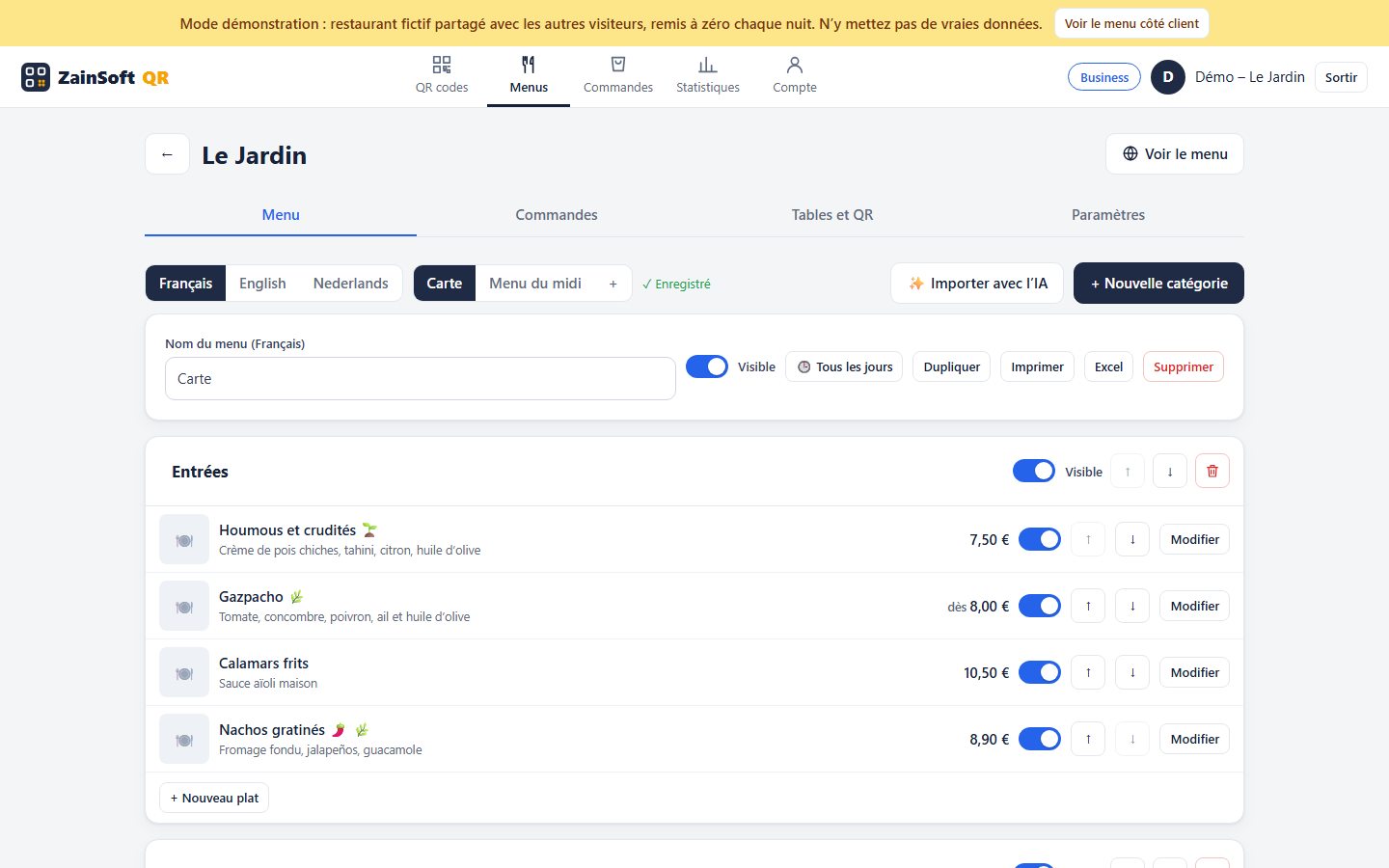
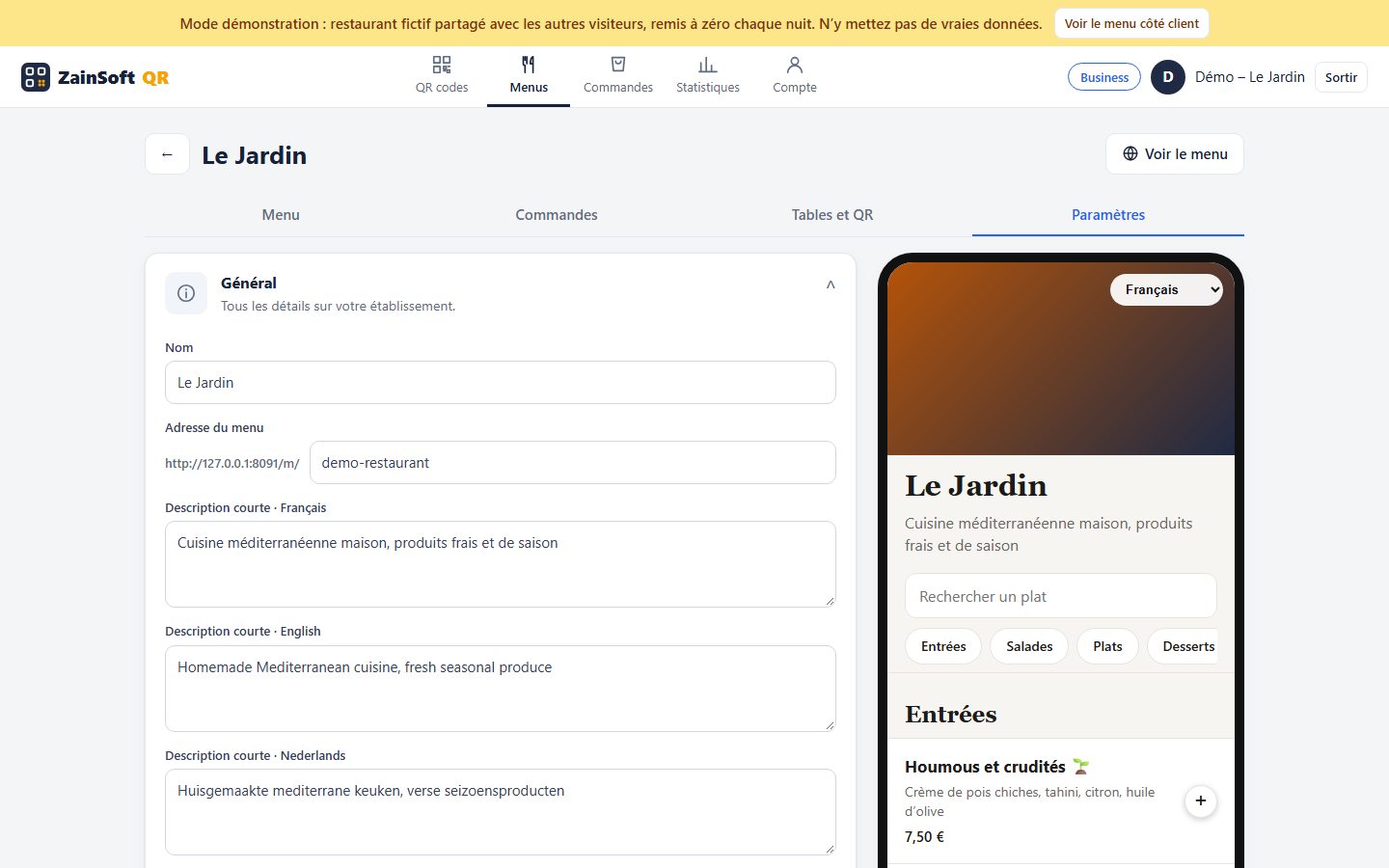
Categories, dishes, photos, prices, options (half portion, 33 cl…), vegetarian, spicy, halal tags… Mark dishes unavailable in one click.
Up to 6 languages
Guests pick their language: French, Dutch, English, Arabic, German, Spanish, Italian… Arabic reads right to left.
Table ordering
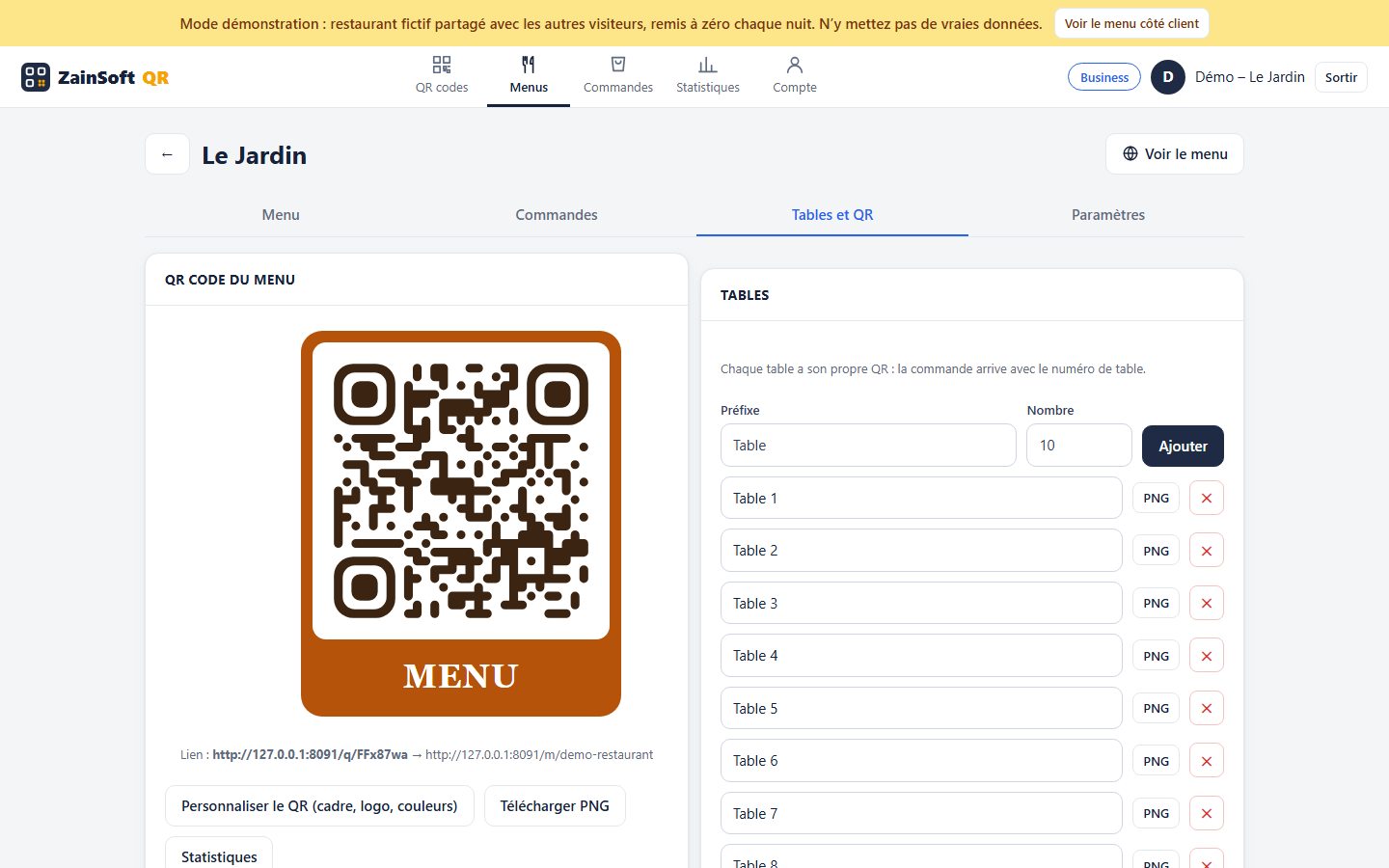
One QR per table: guests build their order, add a note and send it, then follow its status: received, being prepared, ready.
Orders screen
Orders arrive live with a chime. Accept, ready, served: one click per step. Full history.
Menus by time of day
Weekday lunch menu, Sunday brunch: each menu has its days and hours. Duplicate, print, export to Excel.
AI import
Take a photo of your paper menu: categories, dishes and prices are created automatically. Just check them.
QR codes in your style
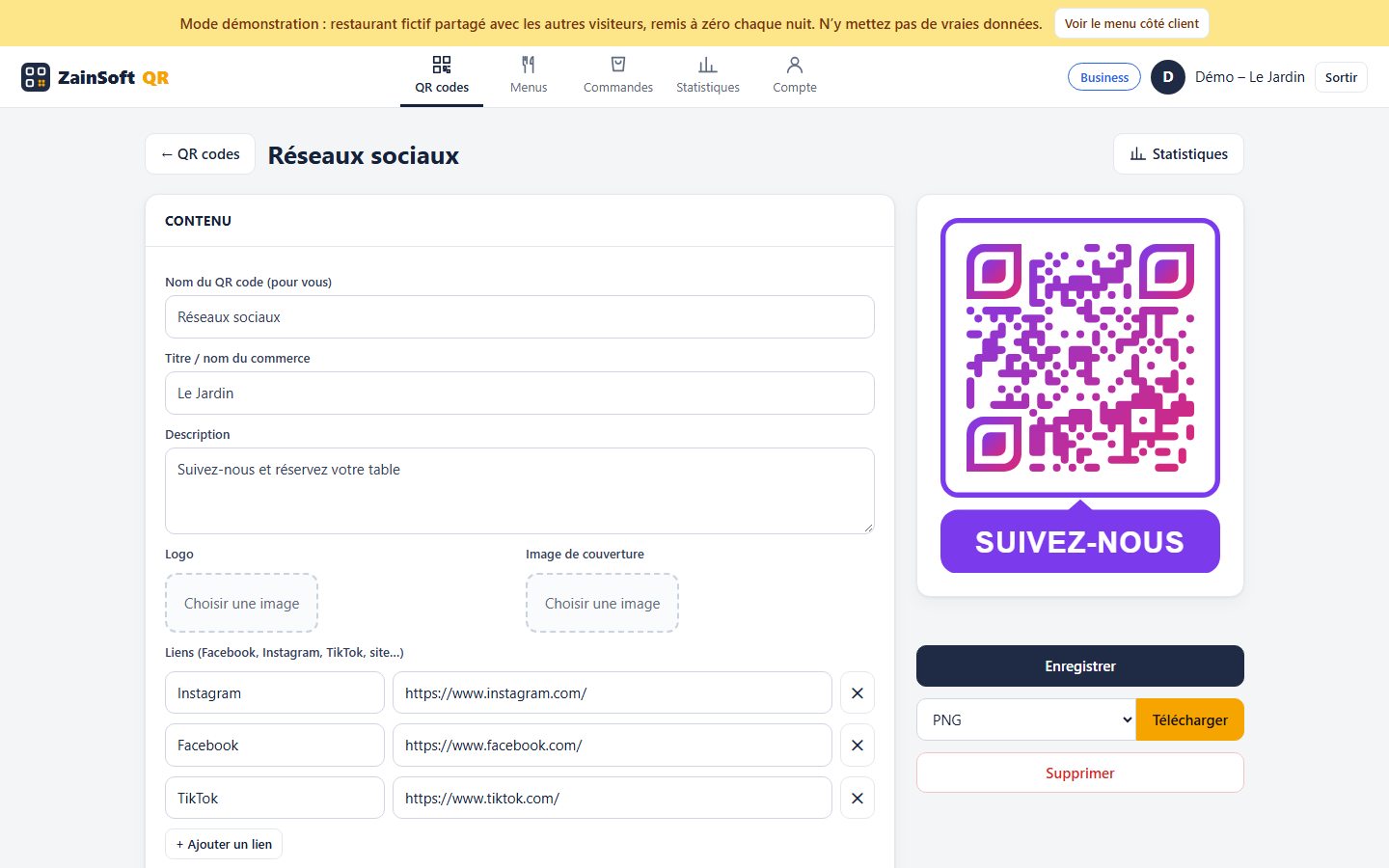
« Scan me » or « Menu » frame, centre logo, colours, gradient, dot and corner shapes. PNG, JPG, SVG or A4 sheet.
13 QR types
Website, business card, social media, PDF, image gallery, app, event, Wi-Fi, text, email, SMS, phone.
Statistics
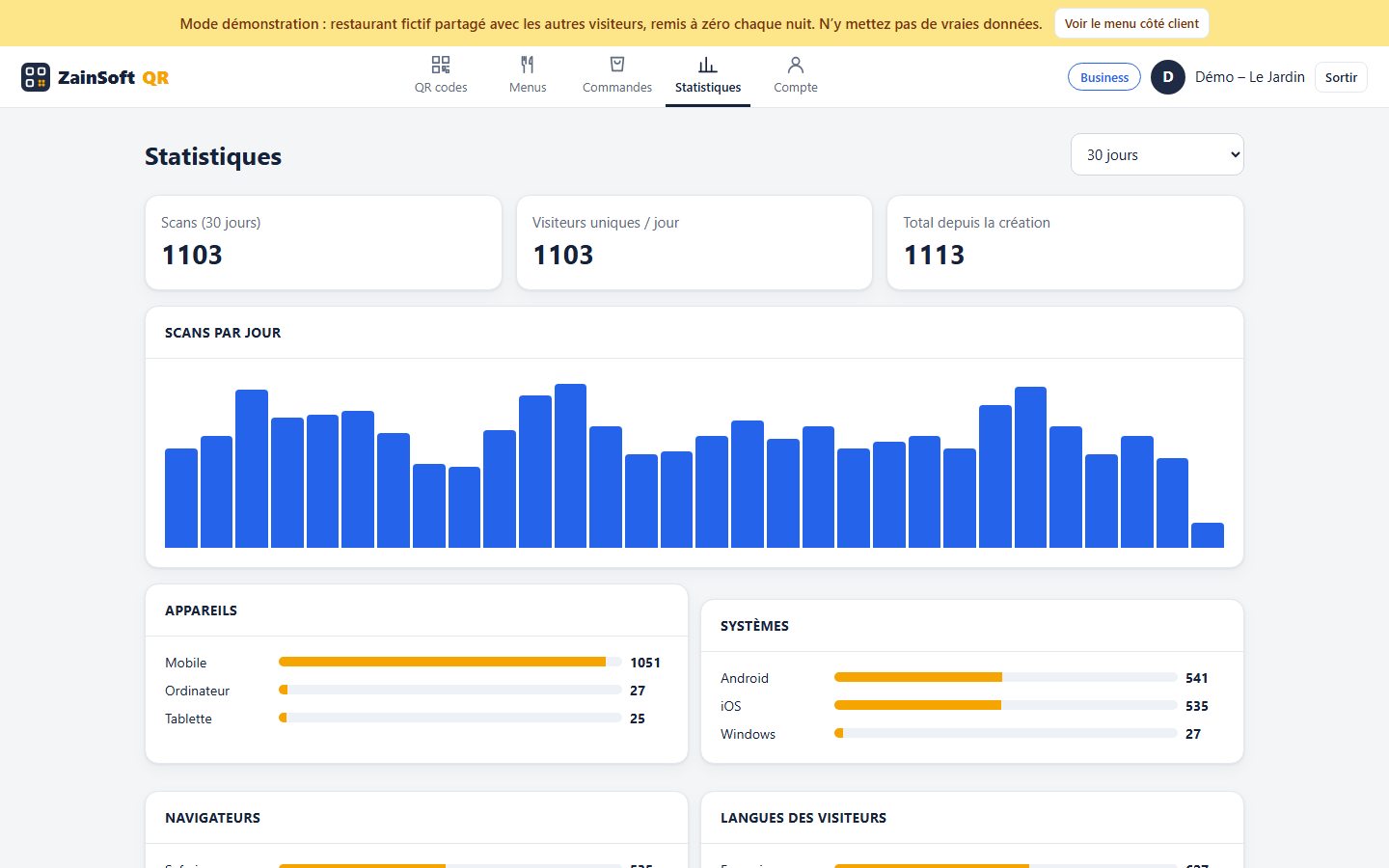
Scans per day, table, device and language: see which tables and QR codes perform.
Screenshots
Real screenshots of the demo (fictional restaurant).
Three plans
Same tools for everyone: the plan sets the number of QR codes and venues. Upgrade at any time.
Starter
To get started
- 5 dynamic QR codes
- 1 restaurant menu
- Scan statistics
- Full customisation
Pro
Restaurants with table service
- 100 dynamic QR codes
- 3 venues
- Table ordering
- AI menu import
- Till integration
Get started in 3 steps
- Your accessWe create your space and you receive your username and password.
- Your menuAdd your dishes or import a photo of your menu; choose your languages and colours.
- Your QR codesPrint your table QR codes (4, 9 or 16 per page) and place them: you are live.
A QR menu for your business?
Call us: we create your space, import your menu and deliver your table QR codes.
Already have an account? Sign in to edit your menu and see your orders.
Customer area →