The till for your restaurant or shop.
One till for the dining room, the counter and the kitchen: take payments to eat in or take away, the kitchen chimes with every order, waiters take orders on a tablet and guests order from the QR code on their table.
- ✓ 15-day free trial, no commitment
- ✓ Data on your PC, automatic backups
- ✓ Restaurant and supermarket in one program
- ✓ Remote support from Mons, Belgium
Try it now
The demo is the real software in your browser: take payments, open tables, manage stock and run a Z report. Nothing to install, no account.
Your tests stay in your browser only; « Réinitialiser » restores the original demo. Direct printing, tablet, kitchen and the online QR menu work in the Windows version.
Everything to take payments and serve
Simple for staff, complete for the manager.
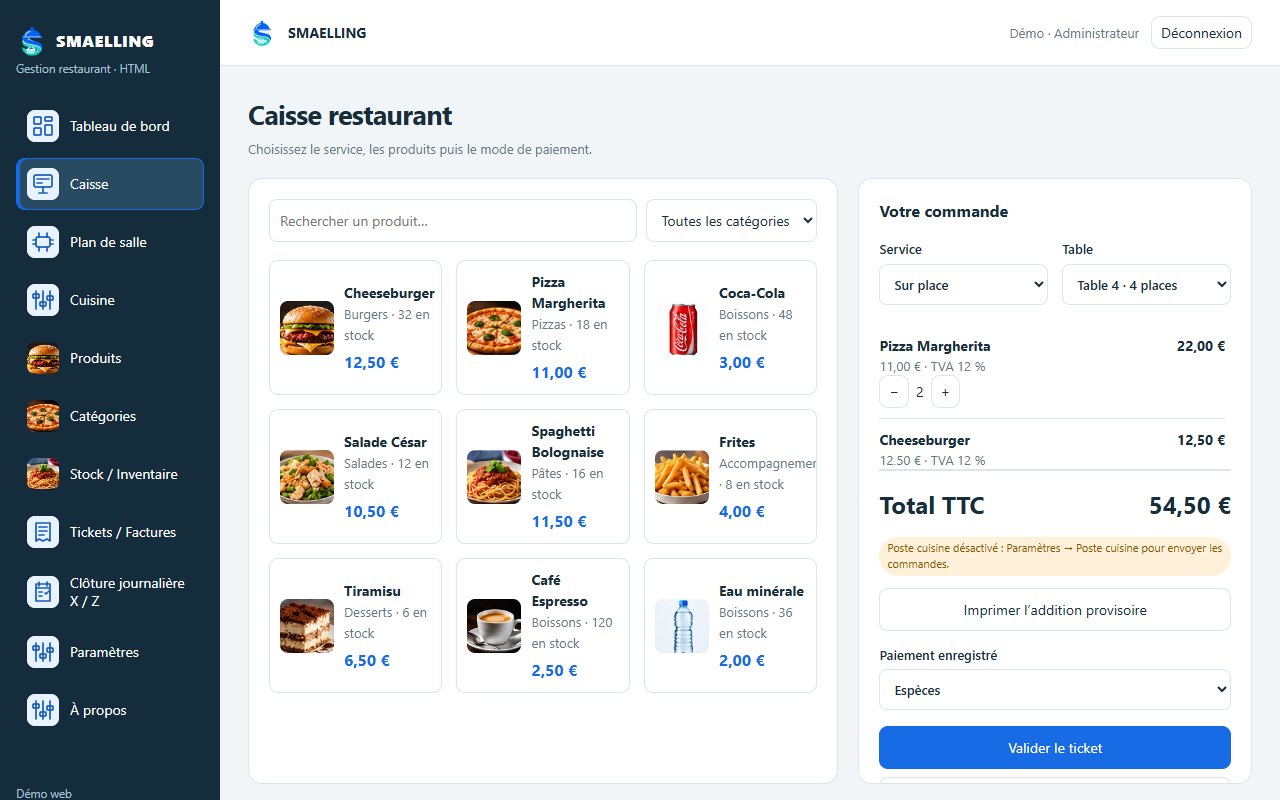
Touch till
Eat in or take away, products with photos, interim bill, cash or card, receipt in one click.
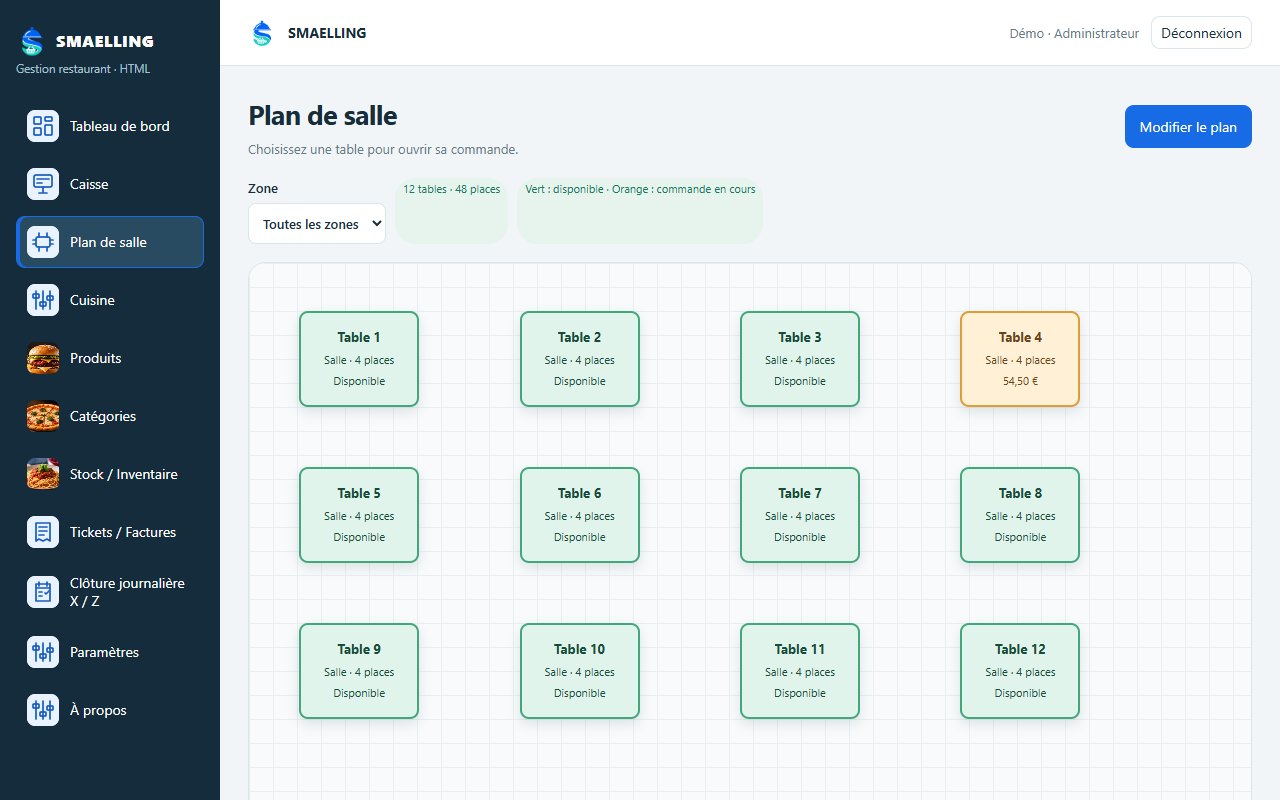
Floor plan
Your tables by area, moved with mouse or finger. Green: free, orange: order in progress, with the amount.
Kitchen station
Orders go to the kitchen: the tablet chimes until « Received », then Preparing, Ready, Served.
Waiter tablet
Waiters take orders at the table on a tablet on the same Wi-Fi; the till takes payment and prints.
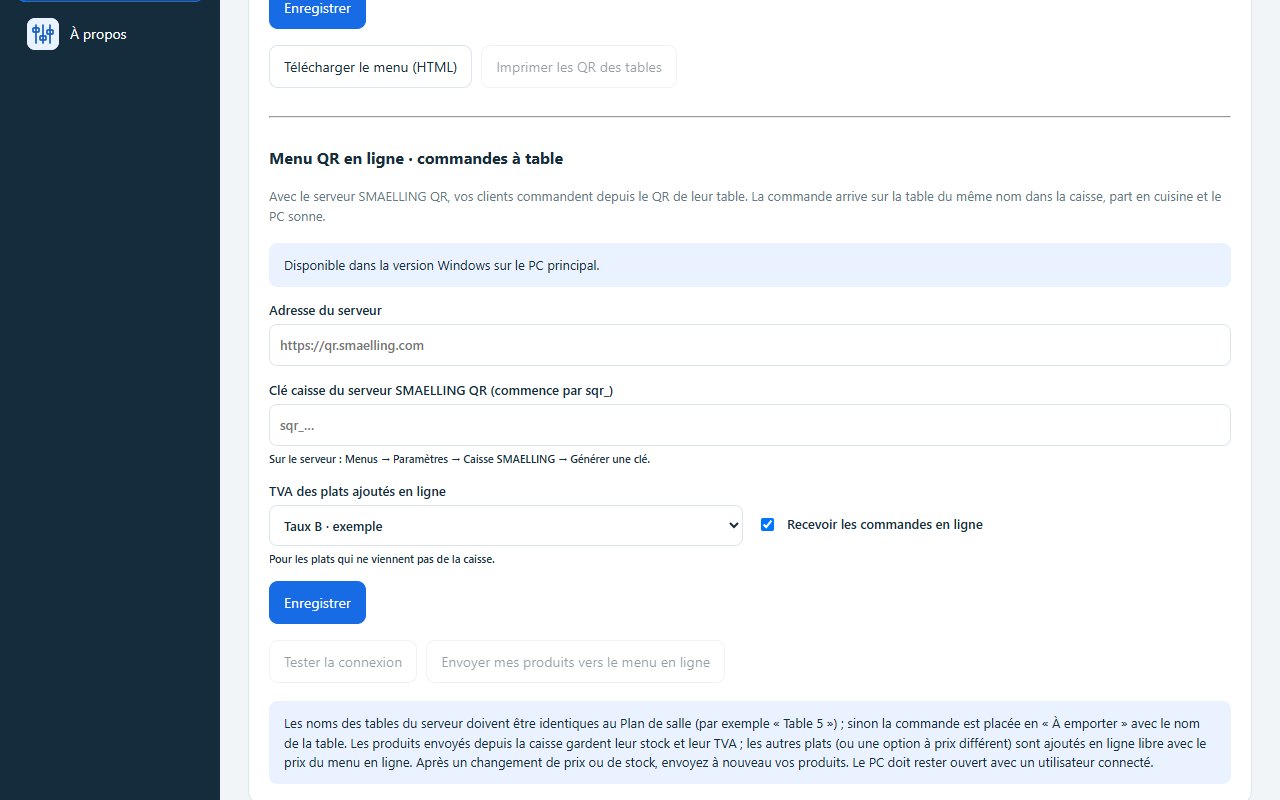
Online QR menu
Guests order from their table's QR code: the order lands on the right table in the till and goes to the kitchen. Requires a ZainSoft QR subscription, also sold on its own.
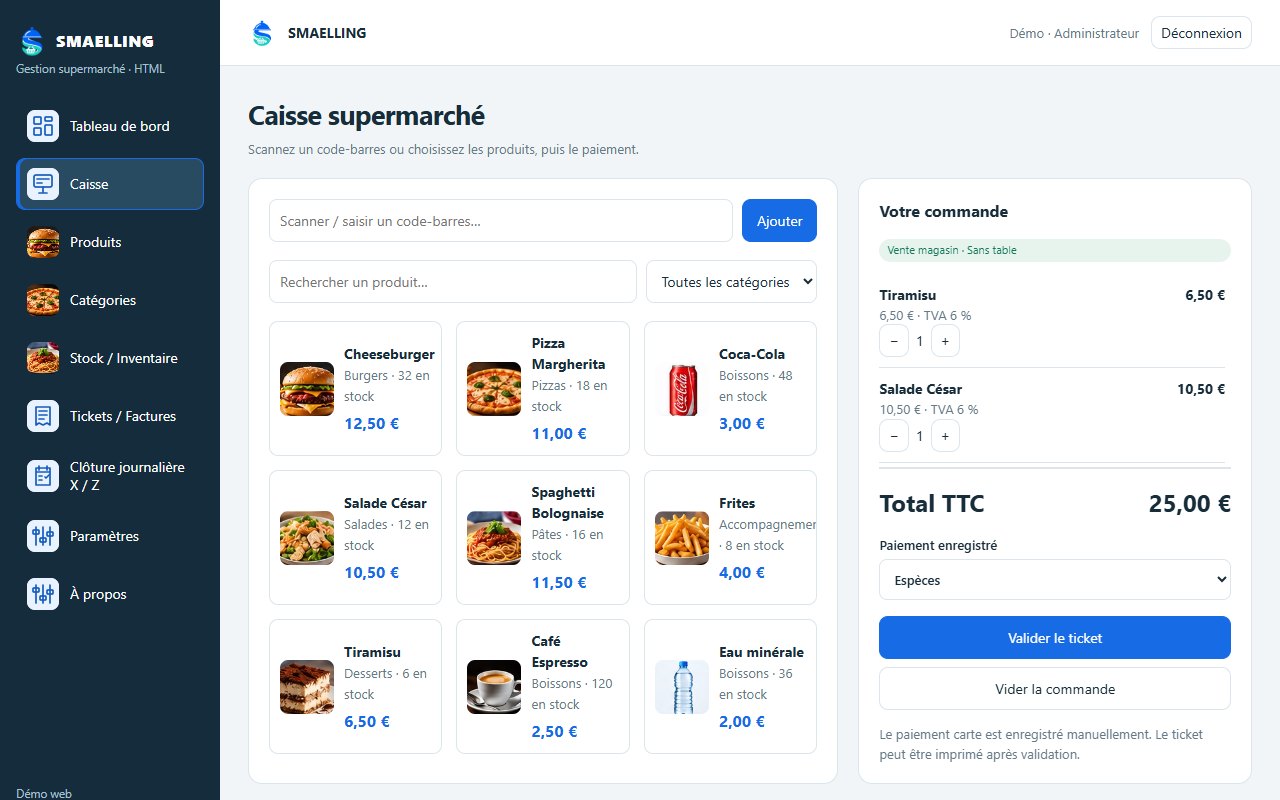
Supermarket
Barcode scanning, stock and alert levels, inventory, categories and VAT per product.
Receipts and invoices
58 or 80 mm receipts, A4 and PDF invoices, invoice emailed to your accountant.
X / Z reports
X reading at any time, Z report at the end of the day, sales dashboard.
Backups
Automatic copy every day and after each Z, 30 copies kept, USB export and restore.
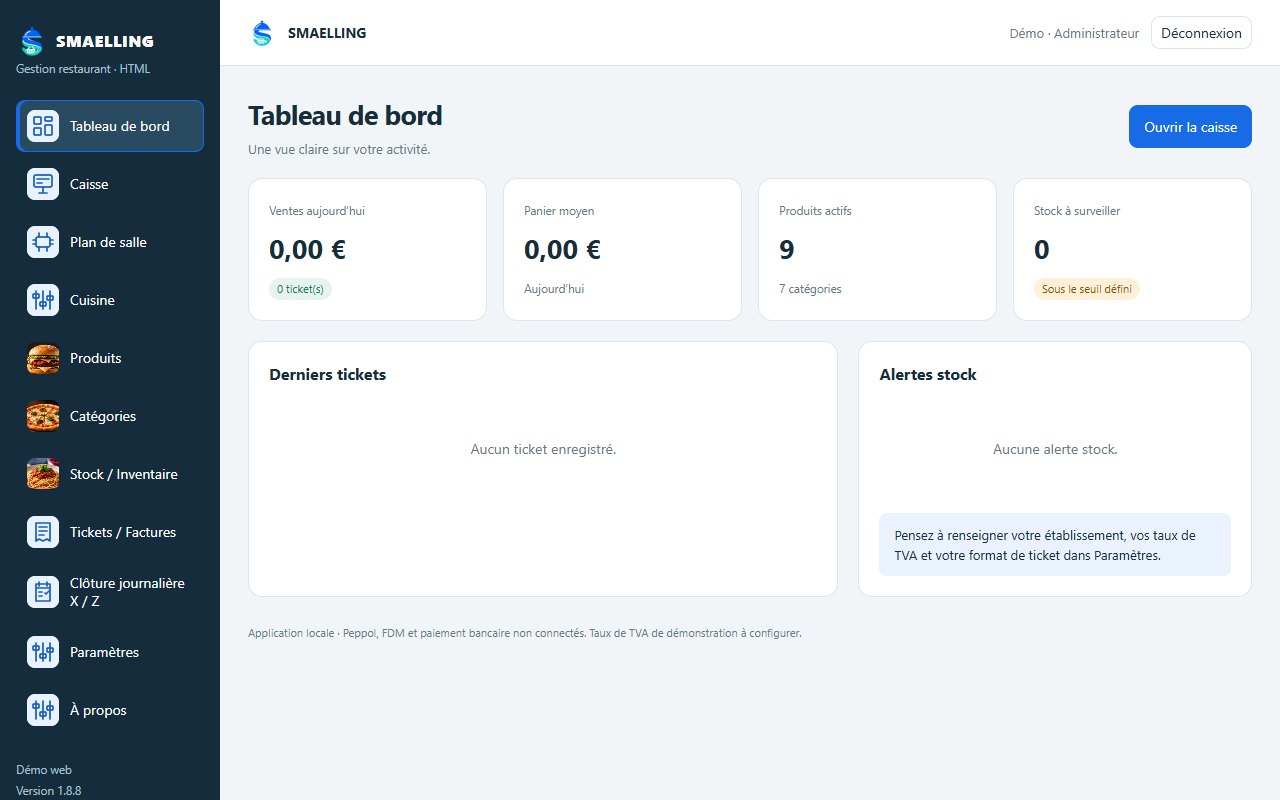
Screenshots
Real screenshots of the demo (fictional data).
Activate your licence
On first launch SMAELLING runs free for 15 days. To continue, activate a licence bound to your PC: it takes two minutes.
- Copy your PC codeIn SMAELLING, open Paramètres → Licence (or the « Activer la licence » button at the bottom of the left menu), then « Copier le code du PC ».
- Send it to usBy WhatsApp, email or phone. Choose the length: 1 month, 3 months, 6 months, 1 year or lifetime.
- Paste your keyYou receive a key like XXXXX-XXXXX-XXXXX-XXXXX. Paste it into « Clé de licence » and press « Activer la licence ».
- A key only works on the PC whose code it carries. New PC: ask for a new key.
- Only the program's administrator can activate the licence.
- When the trial or licence ends, SMAELLING becomes read-only: viewing, printing, exports and backups still work, new sales are blocked until activation.
- 15 days before a licence ends, a message reminds you to renew it.
Get started in 3 steps
- InstallUnzip the folder you received and double-click Installer_SMAELLING.vbs: a shortcut appears on the desktop.
- Set upCreate your admin account, your venue, VAT rates, products and tables.
- Sell15-day full trial, then activate your licence with your PC code.
SMAELLING for your business?
Call us: we install SMAELLING, import your products and set up your printers, kitchen and QR menu.
☎ +32 466 66 66 58 · +32 492 22 20 07
SMAELLING runs on Windows 10 or 11 (64-bit). It is not a certified cash register system (SCE): it is not connected to an FDM black box or to Peppol.
Try it now · User guide
smaelling.com →